IndiGo Check-in Information at Kuala Lumpur International Airport (KLIA)
Passengers traveling with IndiGo at Kuala Lumpur International Airport (KLIA) can complete check-in through online services, airport self-service kiosks, or staffed airport counters. These options allow travelers to obtain their boarding pass and complete pre-flight procedures before proceeding to security screening and boarding.
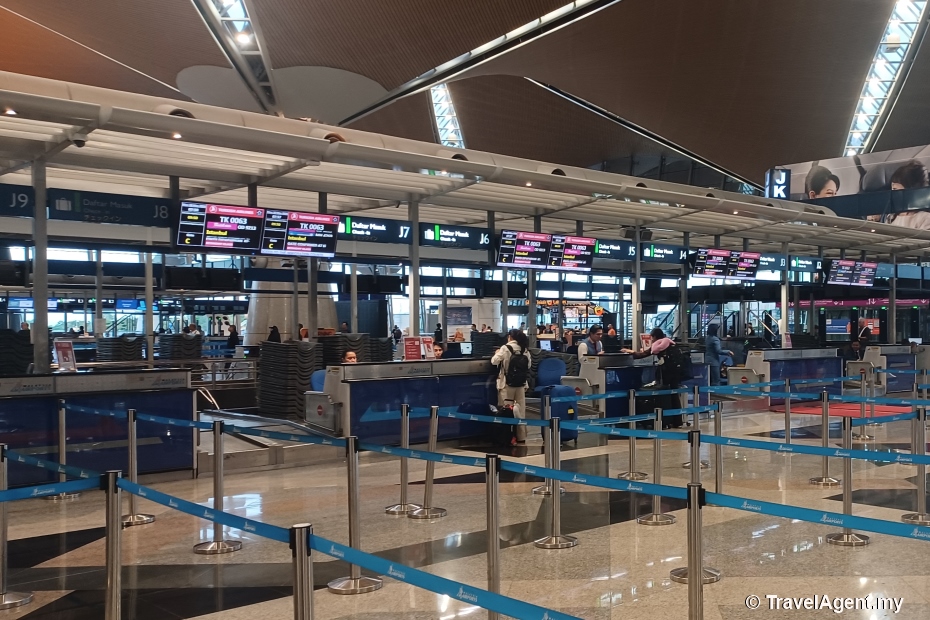
Terminal
IndiGo operates its Kuala Lumpur services from
Terminal 1, Kuala Lumpur International Airport (KLIA). Passengers should refer
to the airport flight information displays on the day of departure for the
assigned check-in counter.
Online / Mobile Check-in
Online and mobile check-in for IndiGo international flights opens 24 hours
before departure and closes 75 minutes before the scheduled departure time.
Passengers can check in through the IndiGo
website
or mobile app, download their boarding pass and complete their travel
preparations before arriving at KLIA.
Self-Service Kiosks
Self-service check-in kiosks are not available for IndiGo passengers at
Kuala Lumpur International Airport (KLIA).
Passengers who have not
checked in online should proceed to the IndiGo check-in counters at the airport.
Travellers with checked baggage are also required to visit the counter to
complete baggage acceptance before departure.
Airport Counter
Check-in
IndiGo check-in counters at KLIA Terminal 1 open 4
hours before departure and close 75 minutes before the scheduled departure time
for international flights. Passengers must present a valid passport, visa and
any other required travel documents during check-in.
Special
Assistance
Passengers requiring wheelchair assistance or other
special services should notify IndiGo before departure and report to the
check-in counter at KLIA Terminal 1 upon arrival at the airport.
Passengers who fail to complete check-in and baggage acceptance before the
published check-in closing time will not be accepted for boarding.
Shall you need further information, it's best to check IndiGo's official
website or contact their customer service team.
undo back